Quick Container
One of the MOST Powerful Pack for Managing Items in Minecraft Bedrock. Light and Customizable!
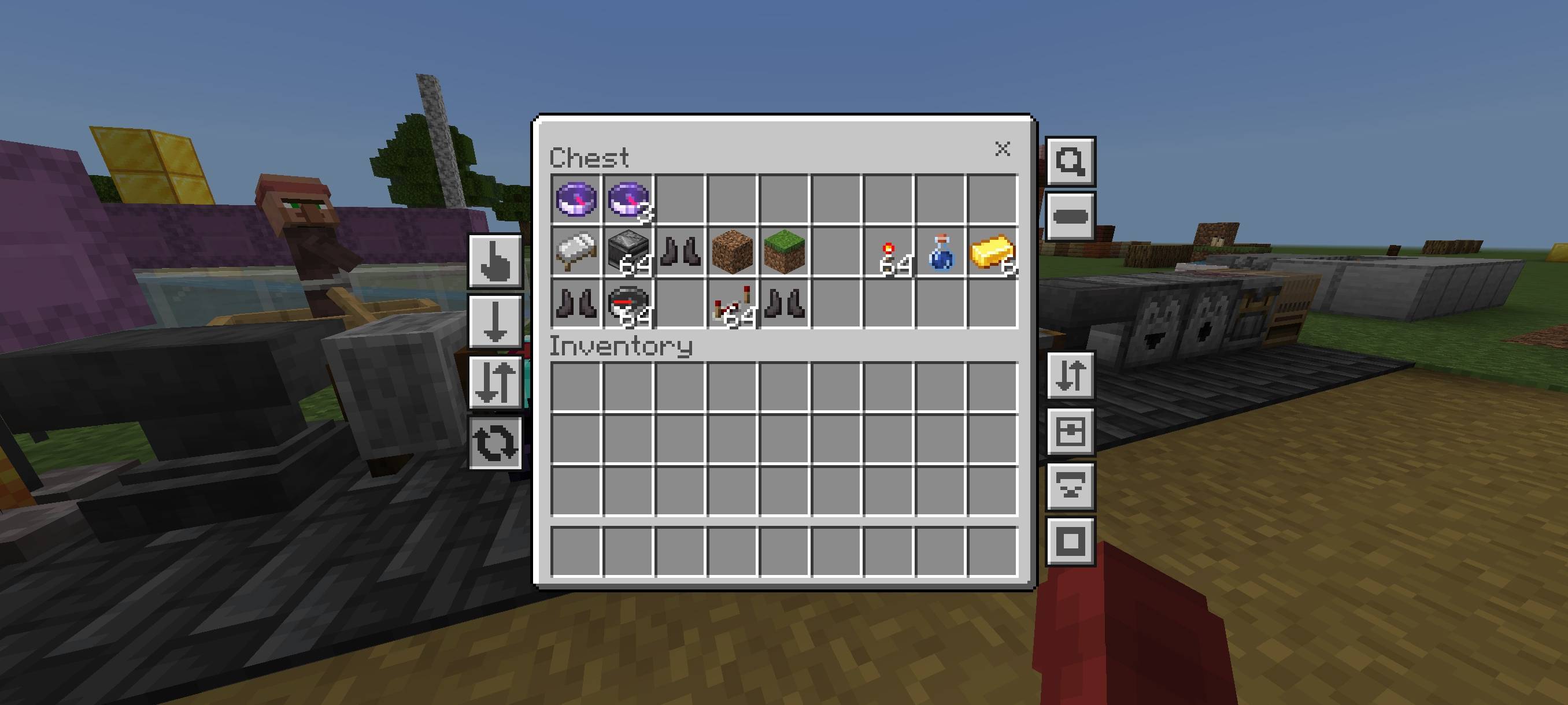
Quick Container is one of the MOST POWERFUL resource packs for managing items in Minecraft Bedrock. It's feature-rich yet lightweight for low-end devices. Quick Container also allows players to customize which features to enable or disable, according to their needs.
Don't use Bulk Items Buttons feature on server to play Skywars etc. because you can be kicked or banned for looting all the items in the chest instantly.
FEATURES
1. Quick Items
Added 4 new buttons: Auto Place, to move items from inventory to chest or vice versa with one click, either all items (64x) or just one item (1x). Drop, to drop items, either all items (64x) or just one item (1x). Destroy, to remove items from existence (only available for inventory screen), and Default.
2. Quick Craft
Added new button to crafting, stonecutter, and trade screen to craft all items with just one click. Quick Craft button on crafting player will only appear if there is item in crafting input slot!
3. Spam Craft
Now you can spam click to CRAFT ITEMS! which you couldn't do before for some reasons, like there is delay after craft an item.
4. Multiple Craft
Added a new button to craft a specific number of items to inventory and crafting screen. You can edit the crafting amount in Global Variables.
5. Bulk Items
Added new buttons to move/drop all items with one click to Inventory, Chest, and Redstone screens. Click Switch button to change the button function to Move or Drop mode. But for Bulk Items Buttons in inventory screen, the function depends on which Quick Items Button is selected.